
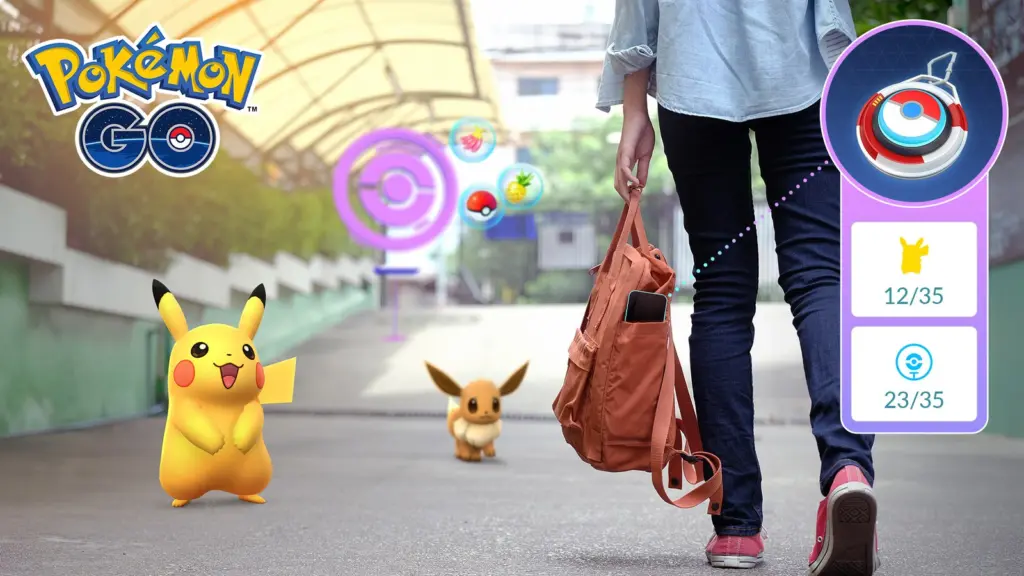
What a sweet little update for anyone out hunting pocket monsters: the Pokémon GO Explorer Gadget has evolved. Since Monday, November 2, the feature that automatically tries to catch Pokémon and spin PokéStops also works while you actively play, not only when the app is closed or your phone is locked. The update became a trending topic in the US, with more than 10,000 searches on Google Trends.
What the Explorer Gadget is
Launched in August as a phased rollout, the Explorer Gadget is a built-in feature for Trainers at level 20 and higher that tries to catch Pokémon by automatically throwing Poké Balls and spins PokéStops while you walk around. It only uses regular Poké Balls, never Great Balls or Ultra Balls, and it will not try to catch Pokémon that are not yet registered in your Pokédex or mighty Pokémon.
It has a daily limit on catches and PokéStop spins based on your Trainer level, and it stops when your Pokémon Storage or Item Bag is full. It also cannot run at the same time as a paired accessory such as the Pokémon GO Plus +: it is one or the other.
What changes now
With the game open and the Gadget on, a pink Poké Ball icon appears over the Pokémon or PokéStop it is trying to catch or spin. Want to try it yourself? Just tap that Pokémon or PokéStop within a short window to override it. To turn it on, tap the icon at the top right of the map view or find it under Key Items in your Item Bag.
The update also brings an improved catch summary, a dedicated Appraise button on each Pokémon’s summary page, new color saturation for spun PokéStops, refreshed effects for Pokémon drawn by Lure Modules, Routes, the Mystery Box and the Coin Bag, and a Power Spot change: visiting one, or placing a Pokémon there after winning a Max Battle, no longer triggers special wild encounters.
And for Trainers heading to Brazil, a sweet reminder: there is a Wild Area: Global meetup at São Paulo’s Ibirapuera Park on November 14.
Sources: Pokémon GO (Scopely) and the Pokémon GO Help Center.
 Lady Combo